
Hierarchies and materials
Soloing a parent
Section titled “Soloing a parent”Select a parent and solo it, and its whole hierarchy is soloed — every child and descendant, whether or not they were selected. The same goes for taking a parent out of a solo with Shift + click.
Soloing a child
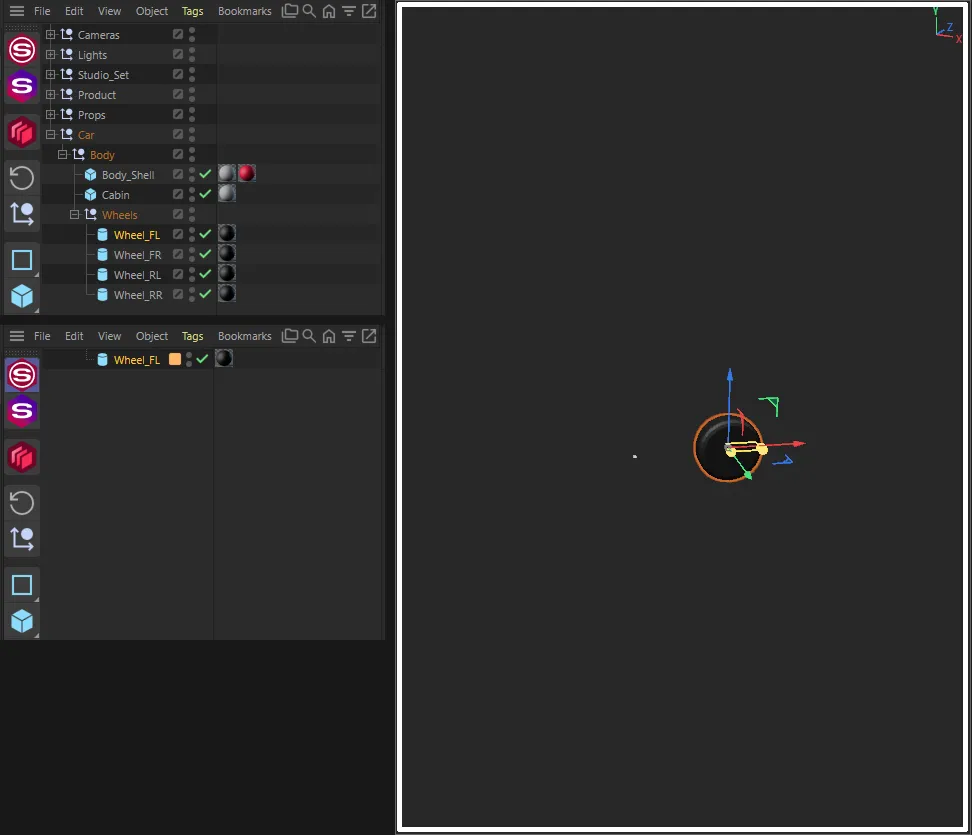
Section titled “Soloing a child”You can solo an object deep inside a hierarchy without selecting its parents. SuperSolo keeps the chain of parents above it switched on, so the child still shows in the viewport and renders — a hidden parent would otherwise take the child with it.
In a full solo, those parents are left out of the Object Manager, so the list shows only what you soloed. They are still there in the scene: a parent that is itself a visible object (a polygon mesh, say, rather than a null) will still draw in the viewport.
To keep a particular parent listed in the Object Manager during a solo, give it the Ignore tag.
In a viewport-only solo the Object Manager is never changed, so the parents stay listed as usual.
Materials
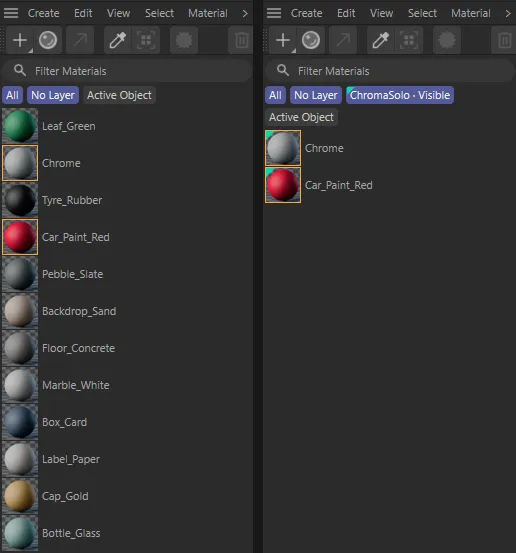
Section titled “Materials”A solo tidies the Material Manager as well as the Object Manager. While soloed, these materials stay visible:
- materials applied (with a material tag) to any soloed object;
- materials selected in the Material Manager when you start the solo — useful when you want a material on screen that the soloed objects don’t use.
Other materials are hidden until you un-solo. New materials made during a solo stay visible.
Layers
Section titled “Layers”SuperSolo does its work with three temporary layers, which you will see in the Layer Manager while a solo is on:
| Layer | Holds |
|---|---|
| ChromaSolo · Visible | The soloed objects and their materials (full solo) |
| ChromaSolo · Ancestors | Parents kept on so soloed children show (full solo) |
| ChromaSolo · Hidden | Everything else |
When you un-solo, each object and material goes back to the layer it was on before — or to no layer, if it had none — and the temporary layers are removed. Leave them alone while soloed; renaming or deleting them can stop SuperSolo putting things back.
Objects carrying the Ignore tag are never moved to these layers.